Pharma e-detailing app by iWebry

Easy E-Detailing: E-Detailing App for Pharma & Medical Representatives

Organize digital visual aids, detail doctors and manage field work in one Android app. Connect doctor calls, follow-ups and attendance with separate Manager and MR workspaces. Prepared presentations work offline.

3-Day Free Trial · Try Easy E-Detailing with 1 Manager + 2 MR · No payment required

Offline after activationPDF, PPT/PPTX and imagesAndroid: Manager phone, MR tablet

TWO SIMPLE OPTIONS

Choose the Right E-Detailing App

Two simple options — choose complete Manager + MR field work or only professional digital visual-aid detailing.

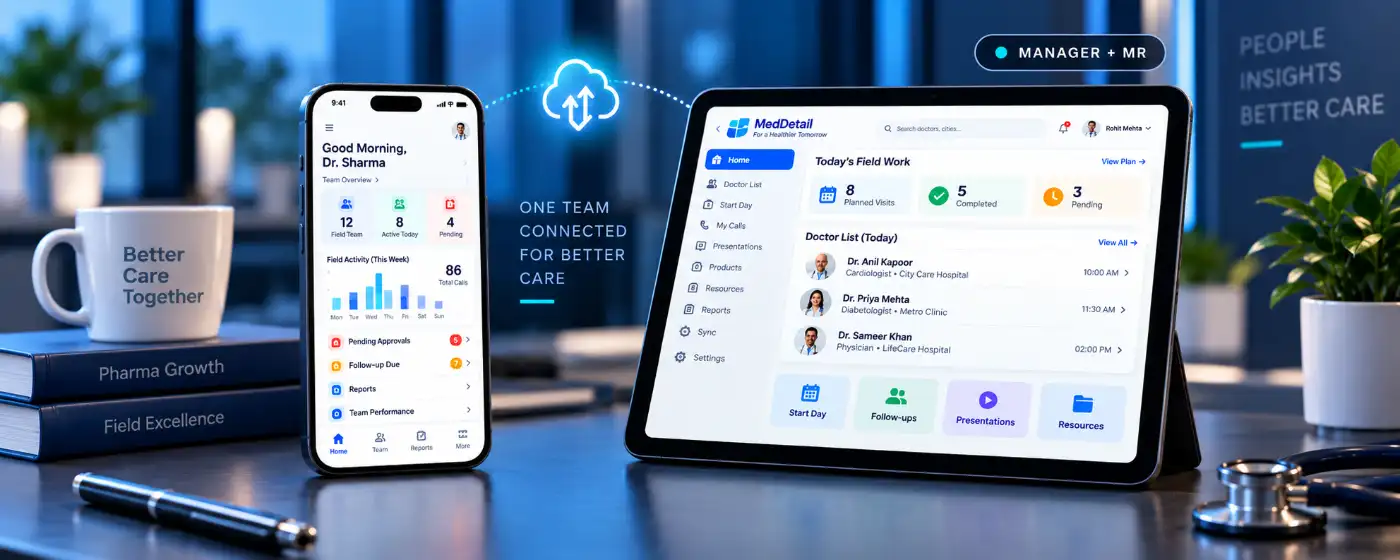
Easy E-Detailing Manager and MR field workflow app
MANAGER + MR

Easy E-Detailing

Complete E-Detailing + Field Work App

Starts at
₹349 / month
1 Manager + 2 MR Extra MR: +₹100 / month
Best For: Pharma teams that need detailing + MR field-work management.
  • Manager + MR separate login
  • Doctor-wise E-Detailing
  • Follow-ups & pending work
  • Start Day / End Day attendance
  • Team activity & reports
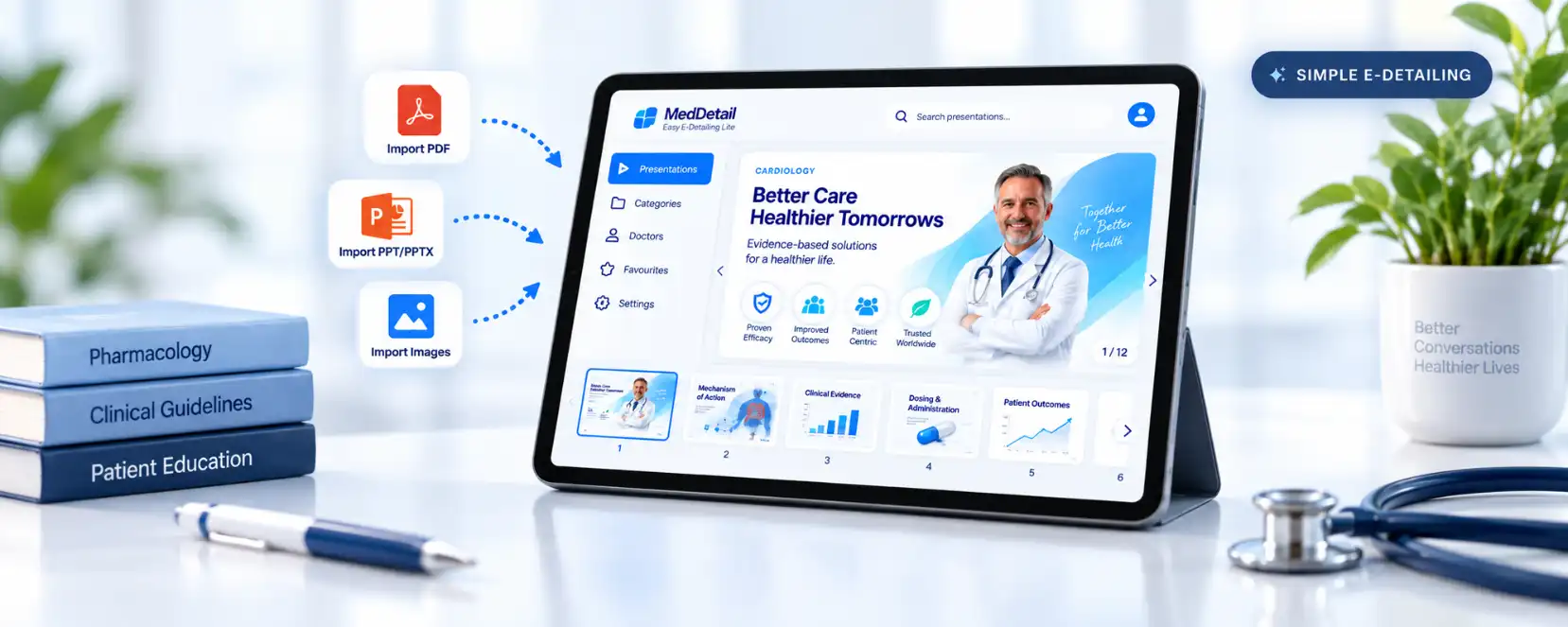
Easy E-Detailing Lite tablet presentation visual aid app
SIMPLE E-DETAILING

Easy E-Detailing Lite

Focused Digital Visual Aid App

Starts at
₹1,000 / year
20-page plan
Best For: Users who only need a simple professional visual-aid presentation app.
  • PDF, PPT/PPTX & image import
  • Category-wise projects
  • Doctor-wise page selection
  • Smooth full-screen presentation
  • Prepared projects work offline
Need Manager + MR field work? Choose Easy E-Detailing.
Need only digital visual-aid presentation? Choose Easy E-Detailing Lite.

SEPARATE LOGINS · CONNECTED CONTROL

Manager on Phone. MR on Tablet. One Clear View of Field Work.

Manager and MR do not share one cluttered dashboard. The Manager signs in to a Manager workspace on their own phone, while every MR uses a field-focused workspace on their tablet. Linked work stays visible to the Manager without mixing role permissions.

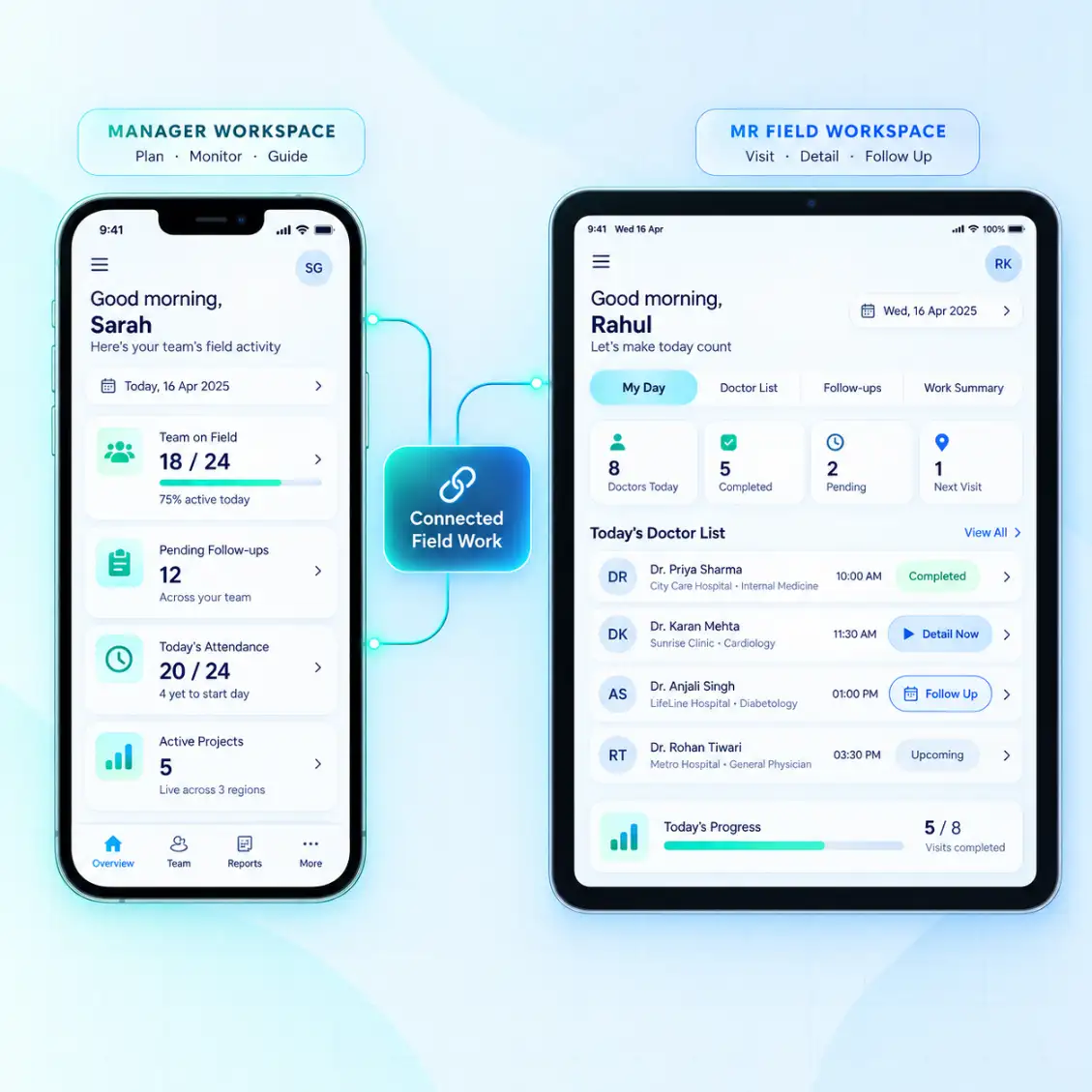
Easy E-Detailing Manager phone dashboard connected with MR tablet field workspace
Two role-specific dashboardsManager visibility on one side, MR field execution on the other.
MANAGER WORKSPACE

Control the team without taking over the MR’s field screen

Managers can add linked MRs, review supported team activity, check attendance submissions, see doctor work and follow-ups, manage supported detailing projects and open MR-wise work views.

Team overviewMR-wise activityAttendance reviewFollow-up visibilityProject controlsSupported reports
MR FIELD WORKSPACE

A simpler tablet workspace for daily field execution

MRs stay focused on the day’s work: Start Day, doctor list, detailing, visit outcomes, follow-ups, field activity, day summary and personal work history.

Start / End DayDoctor ListDoctor detailingMy Follow-UpsMy VisitsWork History

WHAT THE MANAGER CAN REVIEW

Field visibility built around submitted work, not guesswork.

01

Start Day Evidence

Review the MR’s submitted Start Day time, required live photo and GPS-based location information.

02

Where the Day Started

See stored coordinates and readable place information such as road, locality, village, city or district when mapping data is available.

03

Doctor Work

Review supported doctor activity, detailing context, recorded visit outcome and the next action connected to the call.

04

Follow-Ups & Pending Work

Keep due follow-ups and supported pending actions visible so important next work is easier to track.

05

Day Status & Attendance

Review available Start Day / End Day status and working-day information for linked MRs.

06

MR Work History

Move from team summary to supported MR-wise records for past visits, field activity and reporting context.

1MR starts day 2Photo + time + GPS submitted 3Manager reviews day-start record 4MR completes doctor work 5Manager reviews activity & follow-ups
Location accuracy note Readable place detail depends on GPS conditions and available mapping data. The system should not be treated as a guarantee of an exact shop or building identity.

Doctor work stays connected

From Doctor Detailing to the Next Follow-Up

Open the doctor, present the required detailing project, record the outcome and keep the next follow-up visible without separating the detailing workflow from the day’s field work.

Doctor-wise detailing

Keep the doctor context close to the presentation workflow instead of treating detailing as a separate task.

Follow-up and pending work

Keep the next required action visible for the MR and available for Manager-level review where supported.

Attendance with useful place information

Start/End Day can use time, live photo and GPS-based location. Readable place detail depends on available mapping data and GPS conditions.

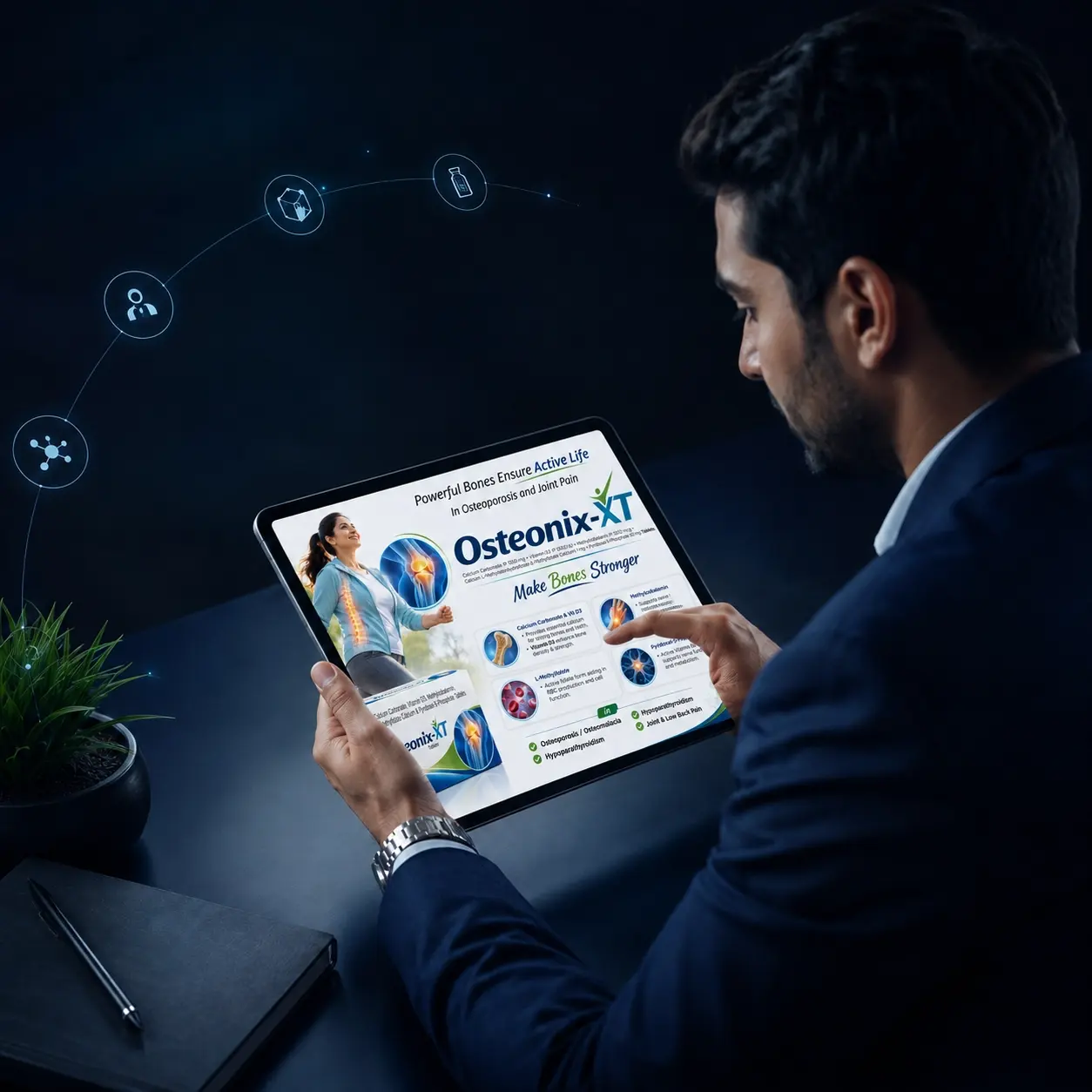
Medical representative using Easy E-Detailing during doctor visit
Doctor-first workflowPresent professionally, then keep the next action connected.

Real product experience

From doctor detailing to the next action — one practical field flow.

Easy E-Detailing is built around the actual sequence of pharma field work: prepare content, present clearly, record the outcome and continue with follow-up.

FIELD WORKFLOW

One call. One connected workflow.

Ready for field use
01

Prepare

Organize projects, categories and approved visual-aid pages.

02

Present

Open the right detailing content and present in a clean full-screen flow.

03

Record

Save the supported doctor-call outcome and the next work to remember.

04

Follow-up

Keep pending work and follow-up actions visible for the next call.

Manager + MR

Team workflow without mixing roles.

Manager-level team visibility and MR field work stay role-focused inside one connected system.

Manager viewMR workspaceTeam activity
Content control

Detailing content stays organized.

Projects, categories and pages keep approved brand material easier to find during field work.

Field ready

Prepared content when connectivity is limited.

Supported locally available presentation content can remain usable during low-connectivity field situations.

Continuity

Backup, restore and account control.

Supported backup, restore and access controls help teams maintain continuity around their detailing workspace.

BackupRestoreAccess

Pricing that scales with your team

Every plan includes 1 Manager + 2 MR. Add more MRs from the plan card at ₹100 per extra MR per month.

Starter1 Month
₹349base
MR Team Size
2 MR

1 Manager + 2 MR included

No additional MRTotal ₹349

One month of the complete Manager + MR workflow to get your team started.

  • Manager account included
  • 2 MR included
  • Selfie & location Start Day
  • 1-click e-detailing setup
  • Professional doctor e-detailing
  • Doctor work & follow-up workflow
  • Offline-ready prepared presentations
Pro6 Months
₹1,899base
MR Team Size
2 MR

1 Manager + 2 MR included

No additional MRTotal ₹1,899

Six months of stable, long-term Manager + MR access.

  • Manager account included
  • 2 MR included
  • Selfie & location Start Day
  • 1-click e-detailing setup
  • Professional doctor e-detailing
  • Doctor work & follow-up workflow
  • Offline-ready prepared presentations
CustomYour duration
1–12months · 2–100 MR

Best for Large Pharma Teams

Pick your own months (1–12) and team size (2–100 MR). Priced at the best plan rates plus ₹100 per extra MR per month — see the exact total before you pay.

  • Up to 100 MR
  • Any duration from 1 to 12 months
  • All plan features
  • Secure online payment

Not ready to buy? Start your 3-Day Free Trial — 1 Manager + 2 MR, no payment required.

FROM MANAGER SETUP TO FIELD EXECUTION

Start the Manager + MR workflow in five clear steps.

The Manager controls team setup and visibility. The MR stays focused on Start Day, doctor detailing, follow-ups and daily field work from the tablet.

01

Choose a Team Plan

Start with the Manager + MR access included in the selected subscription duration.

02

Manager Adds the MR

The Manager signs in to the Manager workspace and links the representative to the team.

03

MR Starts the Day

The MR uses the tablet workspace and submits Start Day with the required photo, time and GPS-based location.

04

Detail Doctors & Record Work

Open doctor-wise content, present the visual aid, record the supported outcome and keep the next follow-up connected.

05

Manager Reviews Activity

Review supported attendance, doctor work, follow-ups, pending work and MR-wise field activity from the Manager side.

Medical representative presenting a digital pharmaceutical visual aid to a doctor on an Android tablet
Tablet-first detailingClear product communication during every doctor visit.

E-detailing and visual aids explained

A clearer digital visual aid workflow for pharma field teams.

Organize approved product content and present it professionally during doctor visits on Android tablets.

Professional doctor presentations

Present focused product stories digitally instead of carrying separate printed visual aids — see the medical representative app workflow.

Approved content in one place

Keep PDFs, presentations and images arranged in a clear detailing sequence with a digital visual aid app.

Reliable offline access

Continue doctor presentations even when clinic connectivity is weak with an offline e-detailing app.

PHARMA DETAILING BASICS

E-Detailing, Visual Aid and LBL — What Each One Means

These terms are often used together, but they are not the same. Understanding the difference helps pharma teams choose the right content and the right field workflow.

01 · E-DETAILING

Digital doctor detailing on a tablet

E-detailing is the electronic delivery of approved pharmaceutical product information during a doctor interaction. A good e-detailing workflow helps the MR prepare content, open the right visual aid, present it clearly and continue with the next field action.

  • Used during the doctor call
  • Can combine visual aids, categories and presentation flow
  • Supports faster access to approved digital content
Learn what E-Detailing means →
02 · VISUAL AID / DETAIL AID

The product communication material used for detailing

A pharma visual aid—also called a detail aid or sales aid—is structured communication material used by a medical representative to support a product discussion. It may be printed or digital and should use the company-approved product story and supporting information.

  • May be print or digital
  • Guides the product story and doctor discussion
  • Digital visual aids can be organized inside an e-detailing app
Read the Pharma Visual Aid guide →
03 · LBL

Leave-Behind Literature for post-call reference

LBL commonly means Leave-Behind Literature: approved printed or other permitted material that may be left with a healthcare professional after a discussion for reference or recall. It serves a different role from the interactive detailing presentation.

  • Usually supports post-call reference
  • Should follow company approval and applicable requirements
  • Does not replace the live detailing conversation
Read the LBL guide →
E-DetailingThe digital presentation workflow
Visual AidThe product story/material used in the discussion
LBLThe permitted leave-behind/reference material after the call

Designed around pharma workflows

Who uses Easy E-Detailing?

Flexible enough for individual field users and structured enough for teams managing professional doctor communication.

Medical Representatives

Carry organized doctor presentations and access active projects during field visits. Medical representative app

Sales Managers

Review linked MR activity, attendance and follow-ups from a separate Manager workspace.

Brand Teams

Structure approved product stories by brand, category and detailing sequence.

Training Teams

Use guide content to help new users understand the presentation process.

Doctor Communication Teams

Present pharmaceutical information with a clear, app-first visual experience.

EASY E-DETAILING FAQ

Easy E-Detailing questions, answered

Short answers about Easy E-Detailing, the Manager + MR workflow, pricing and offline presentations.

Still have a question? Support hours: 9:00 AM – 5:00 PM

Message the Easy E-Detailing team on WhatsApp for app access, plans or setup help.

Chat on WhatsApp
What is Easy E-Detailing?

Easy E-Detailing, sometimes searched as Easy E Detailing, is an Android e-detailing app by iWebry for pharma companies and medical representatives. It combines digital visual-aid presentation with doctor-wise work, follow-ups, Start Day attendance and separate Manager and MR workspaces.

What is an e-detailing app?

An e-detailing app lets a medical representative present approved product content digitally during a doctor call instead of using a printed visual aid. Read what e-detailing means in pharma.

Who can use Easy E-Detailing?

Pharma companies, sales managers and medical representatives. The Manager uses a Manager workspace on a phone; each linked MR uses the field workspace on an Android tablet. Plans start at ₹349 for 1 Manager + 2 MR, with a 3-day free trial — see e-detailing pricing.

Can Easy E-Detailing work offline?

Yes. Prepared presentations work offline after sign-in and subscription activation. Login, payments, account actions, AI help and online training still need internet.

E-detailing app or digital visual aid app?

A digital visual aid app focuses on showing approved pages. An e-detailing app such as Easy E-Detailing also connects the presentation to the doctor call: which doctor was detailed, the recorded outcome and the next follow-up.

Easy E-Detailing customer support representative ready to help

Ready for smarter doctor presentations?

Put your pharma presentation workflow in one focused app.

Create, organize and present professional e-detailing projects with Easy E-Detailing — the Android Manager + MR workspace for pharma field teams.